New In 2025 No Cobwebs Here
No Cobwebs Here
Have you ever invested in a database or program, and a few employees used it for a couple of years and then it sat dormant? Did you know, if you are a client of GangScope, you get continual customer service from us? Our team is always updating and changing new features for our customers, because we want you to have the information that you need most at your fingertips. Our technical team will work with you, and together we can discover what kind of reports, for example, may be most beneficial for you. The website is constantly maintained and never inactive. Listed below are a few of our latest features or add-ons that we wanted to share with you.
New Features:
1. Colored Graphic Charts
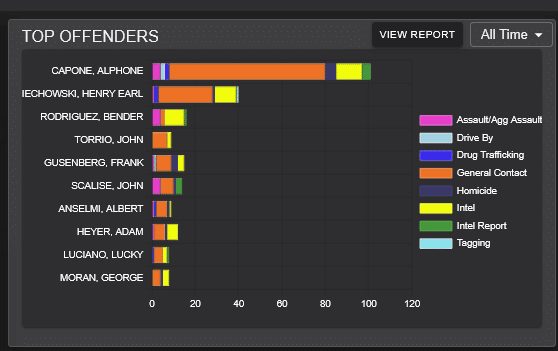
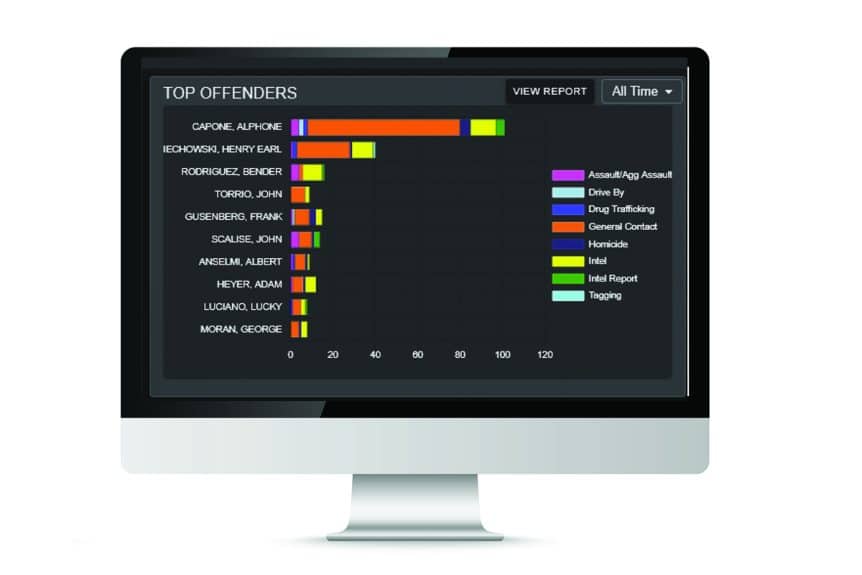
TOP OFFENDERS chart lists the top 10 individuals and gang members who have had the most recorded GI incidents in the system. It identifies each GI type (crime) in a distinct color.
- Mouse Over each person’s graph to see how many GI for each GI type.
- View Report button will redirect to a full report of your Top Offenders
- All Time button allows the report to be reconfigured for different time periods including All time, Last year, Last 6 months, Last 3 months, and Last Month.
- Each GI Type is clickable to enable or disable that GI type on the chart, so you can see just what you want to see.
PIE CHART & GI EVENT HOTSPOTS
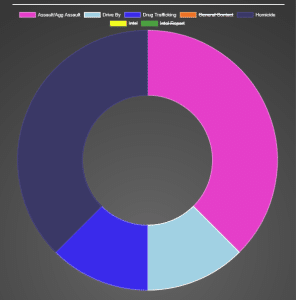
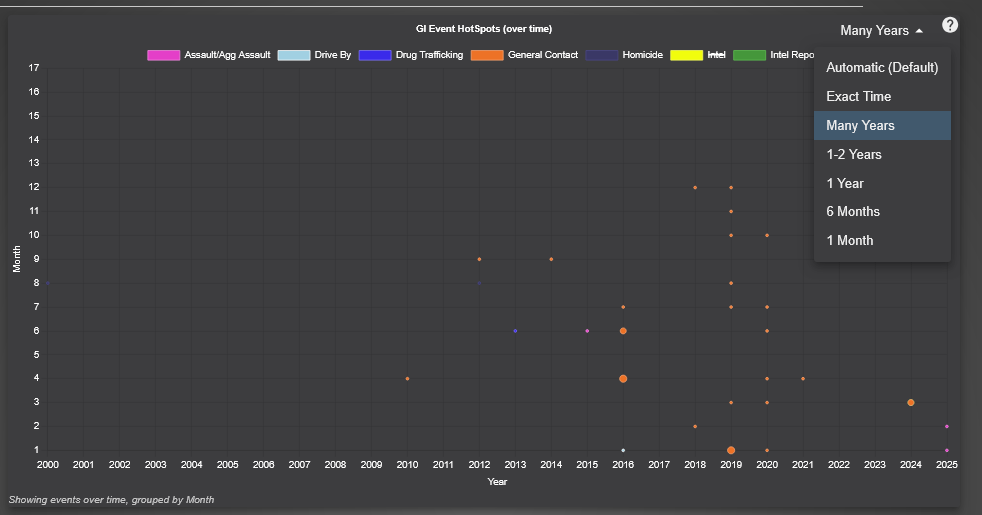
These 2 charts are available on each Person Overview page and on each Gang or Group Overview page.
Pie Chart identifies the person’s or group’s number of GIs by type of crime as a percentage of total number of GIs.
GI Event HotSpots Graph displays GI types over time. Graph identifies Months (y axis) and Years (x axis).
- Time Range filter allows the report to be reconfigured for different time spans including Many Years, 1-2 Years, Last 6 months, and Last Month. X and Y axis will scale accordingly.
- Each GI Type is clickable to enable or disable that GI type on the graph.
- Mouse Over each dot on the graph to see how many and what type of GIs happened in that time span.
2. Gang or Group Member Hierarchy
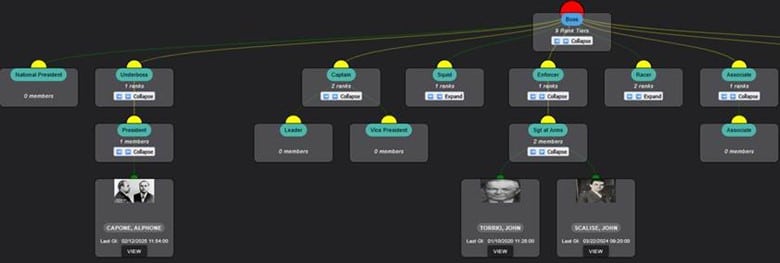
Visually depicts the gang or group in an organizational hierarchy diagram. Each person in the gang or group with a role in the organization will be displayed under their role in the diagram. The diagram includes a small mug shot if it is available.
3. Group or Group Rank Definition
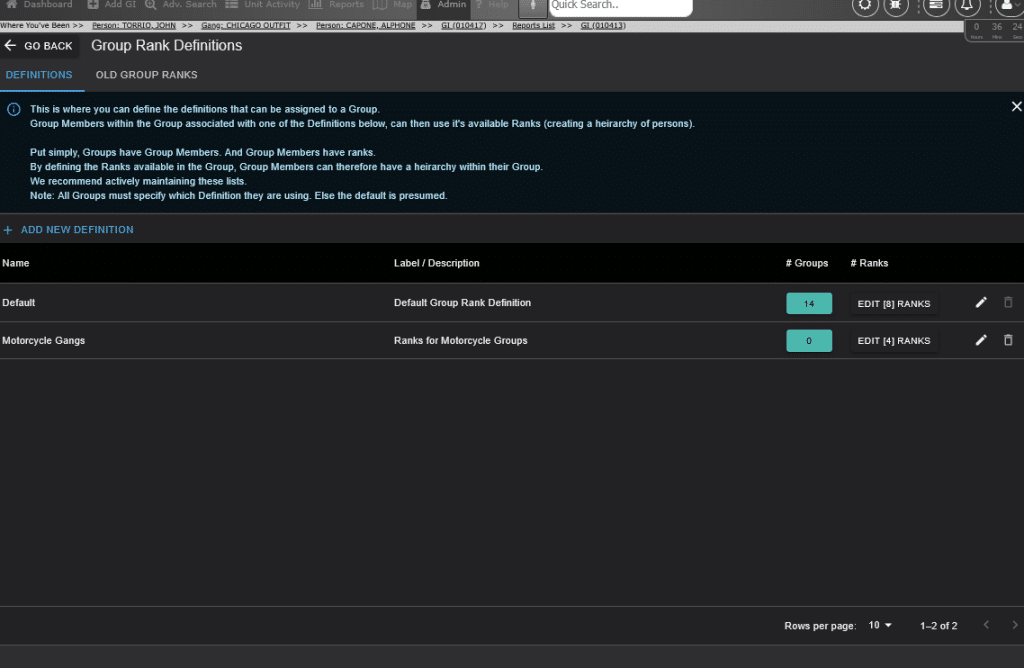
The Rank Definition is an Administrator function. You can define as many Rank Definition models as needed. Each gang or group will be designated their specific Rank Definition model. Each person within that group will be identified with a rank within the gang or group’s Ranking Definition model. This facilitates the gang or group’s organization hierarchy as described above in the Member Hierarchy diagram.
4. Photo Upload Editor
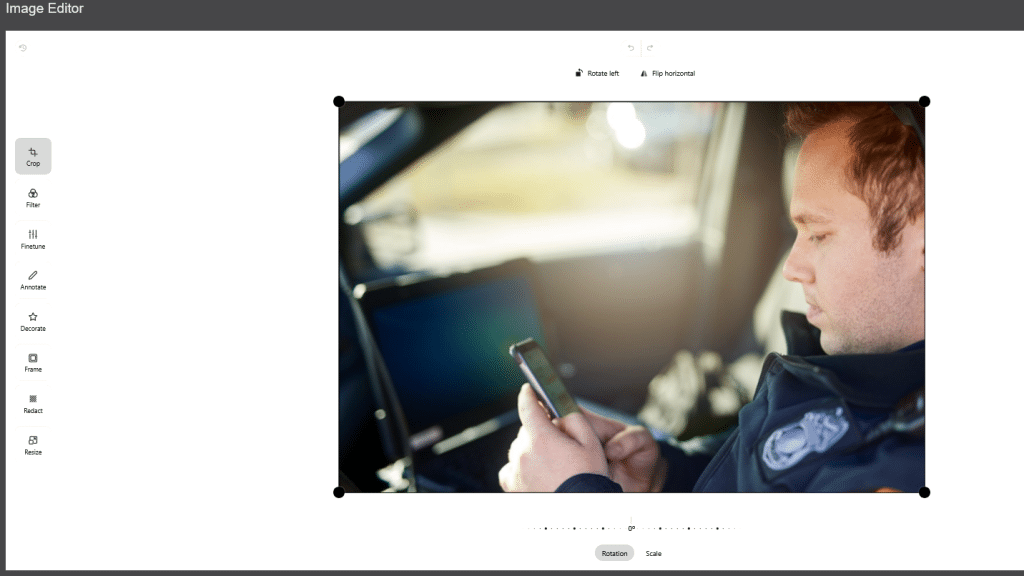
Image Editor functionality has been added. Once a photo is uploaded and added to a GI, it can be edited on the IntelScope system.
The editor has the following tools:
- Rotate left
- Flip horizontally
- Rotation
- Scale
- Crop
- Annotate (arrow, text, rectangle)
- Redact
- Resize
5. On-page Live List
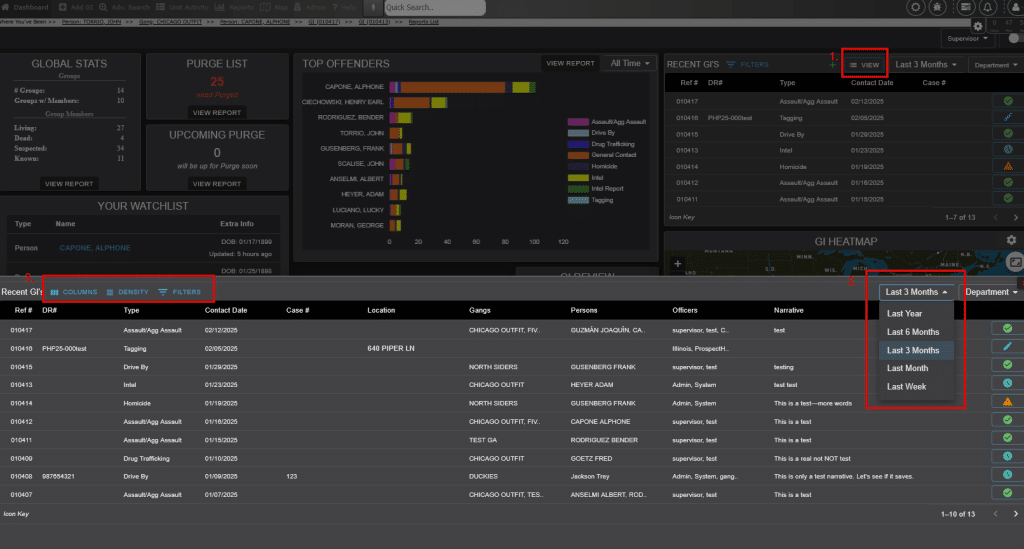
1. From Dashboard RECENT GI’S Widget – click “View” to bring up the On-page Live List that expands from the bottom of the page for easier viewing.
2. Once the List is expanded – click the COLUMNS button to toggle columns on or off, configure the report to be larger or smaller using the DENSITY button and the FILTERS button lets further filtering of viewable GIs.
3. Further configure your GI list by clicking the Time period dropdown. Filter by the last 3 months, last week, last month, last 6 months and last year.
6. Other – Add GI System
a. Add GI System has been completely reworked.
b. AutoSave was added.
c. Multiple officer narratives available.
d. Location upgrades include address verification, auto Geo-coding, and auto plotting on the map.
As you can see from these new tools, we are constantly working to improve Gangscope/Intelscope. We don’t just provide a system and leave you to work out how it might best fit for you. We are also available to show you more through a requested demo!
The GangScope Team
_____________________________
GangScope™ is an intelligence database that helps capture, analyze, search and share intelligence on criminals, gangs, and more. GangScope acts as a first-tier, internal database that manages data on known and suspected criminals and gang members. Intelligence is collected per incident and can include qualifiers, associates, acquaintances (points of contact), witnesses, images, and documents. GangScope’s collection of detailed information aids in investigations, analysis and ultimately solving crime. The software complies with standards outlined by federal (28 CFR) policies. While complying with standards, GangScope™ boasts usability through simple yet extensive data mining via search, reports, profiles, and watches.
The overall goal of GangScope™ is to provide law enforcement personnel/ crime analysts/ correctional officers/prosecutors with maximum data through a friendly user interface while remaining cost-effective.
A non-gang version – IntelScope is also available if needed.
To learn more or to schedule a full demo of our system – request a demo here. We would welcome the opportunity to show you how Gangscope can help your department organize and store your data in a secure and compliant way.